Compare AI image generators side by side
This is the test bench inside birthday-cards.ai. Upload a photo, and two frontier image models will design a birthday card from it at the same time: Google's Nano Banana (gemini-3-pro-image) and OpenAI's gpt-image-2.5. Same photo, same prompt, two very different answers. Watch the timers, judge the results, keep whichever card you like.
Why this page exists
I learned that the “best” model depends entirely on what you are building, so I wired up a mode that races both engines on the same input. This whole site is my playground for learning Claude Code, and it is my first app built with AI-generated code. It is also just fun.
Run the race
Leave it blank and the card will have no words, just the artwork.
A clear photo of a person or pet gives both engines the most to work with. If a card comes out weird, race again. That is half the fun.
What to watch for
- The clock. Nano Banana usually lands in about 30 seconds. OpenAI usually takes 2 to 3 minutes. In the race I recorded for the launch post it was 16 seconds against 45. Sixteen seconds feels like magic. Three minutes feels like waiting for a printer.
- The likeness. Does the person still look like themselves? Does the dog still look like that specific dog? This is where image models quietly fail, and no leaderboard measures it.
- The text. If you gave the card a message, check the spelling letter by letter. Lettering is still hard for image models, and unusual names are harder than common words.
- The feel. One card usually looks quick and clean. The other usually looks like something you would actually print and hand to someone. Which gap matters more depends on what you are making.
What surprised me
I expected a winner. I got a tradeoff. Nano Banana's speed changes how the tool feels, and OpenAI's detail changes how the card feels. For a birthday card, something that gets printed, folded, and kept, I chose quality and ate the slow renders. If this site showed live previews while you typed, I would have chosen speed and never looked back.
That is the real lesson this page teaches better than any spec sheet: there is no best model, only a best model for the job. If you are picking models for your own project, run them on your own inputs, side by side, and decide what you are actually optimizing for. This page is exactly that test, running in production.
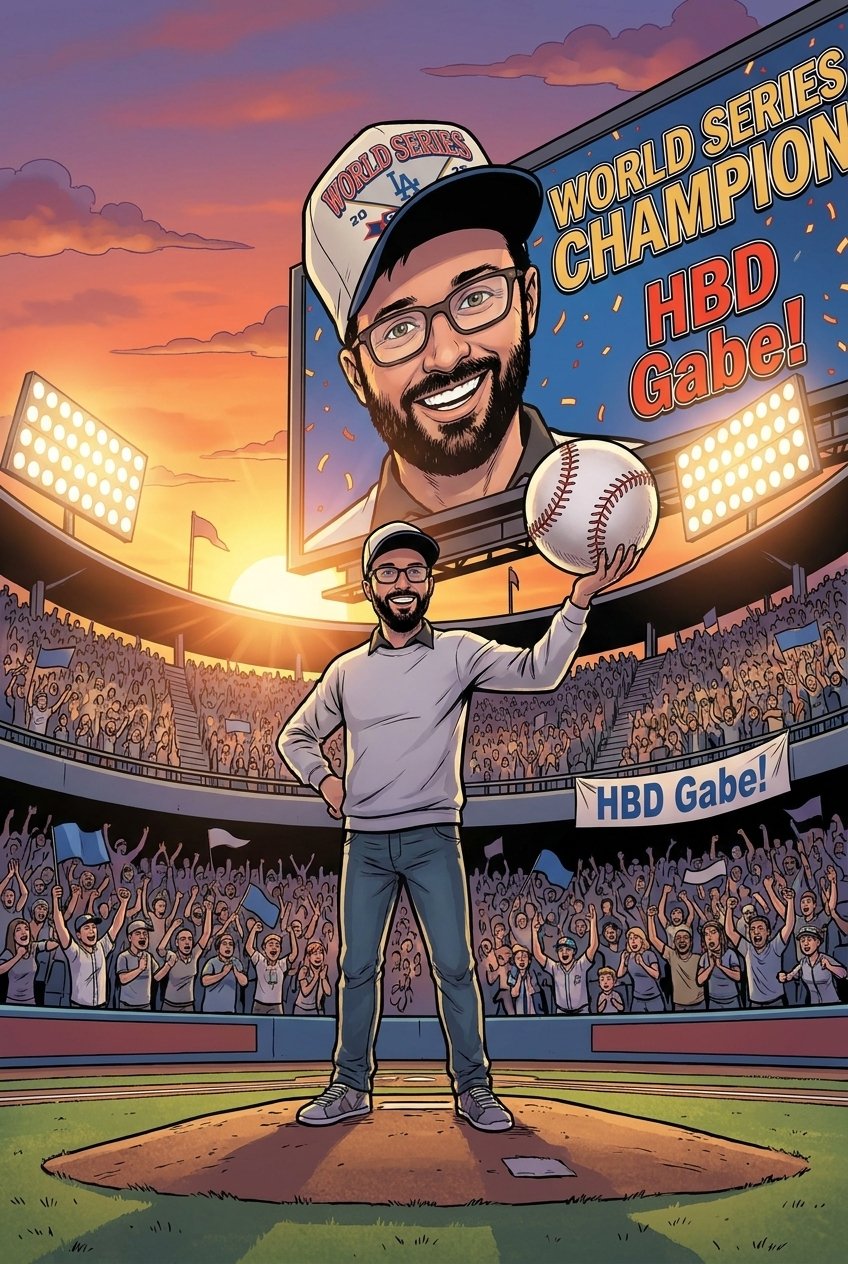
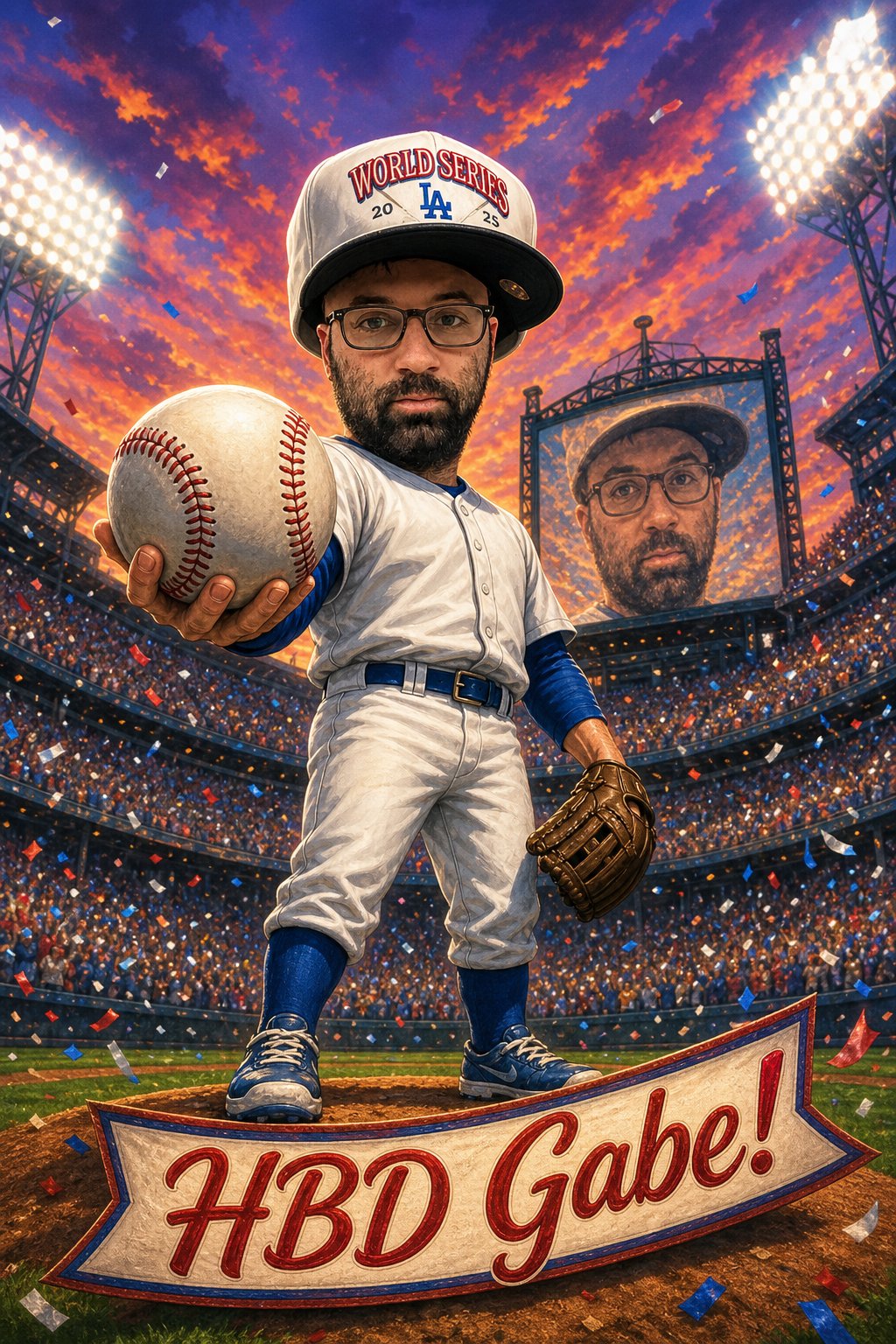
One real race from my own photo: same prompt, both engines, timers as recorded.
How the prompts get written
Nobody types a prompt on this page. When you start a race, a vision model studies your photo first: who is in it, their energy, the pets, the details worth keeping. Then it writes a one-off creative brief around them, on the spot, and that exact brief goes to both engines at the same time. That is the prompt you can peek at under your race.
What you don't see is the set of production guardrails stacked on top: the rules that keep a face looking like the actual person, keep the card text spelled right, and stop the models from inventing strangers. Those took months of failed cards to get right, and they are the part I keep to myself.
Want to follow along? I'm learning Claude Code by shipping real things, this site included. Sign up to see what I build next and what I learn on the way.
Learn more and get in touch at GLF Analytics.
Engine notes
Last updated September 2026. I update this section as the models change.
- Google Nano Banana (gemini-3-pro-image), tested June and July 2026: very fast (usually under 30 seconds here), clean stylized results, occasionally looser on likeness and fine detail. Renders at 1K on this page because of a hosting response-size limit, which is itself a lesson in how infrastructure constrains model choice.
- OpenAI gpt-image-2, tested June and July 2026: slow (2 to 3 minutes is normal), consistently stronger detail, composition, and likeness. The engine behind every other card on this site through September 15, 2026. Since September 16, 2026 every card on the site, and the OpenAI lane on this page, renders on gpt-image-2.5 (the Sunburst release); the June and July results above stay as they were. Since September 19, 2026 every OpenAI card renders at the model's highest quality setting, the one that best keeps a face true to the photo.
- Current verdict for this product: OpenAI for the keepsake, Nano Banana for the wow of watching it appear. Ask me again after the next model release.
Questions people ask
Is this really free?+
Yes. No account, no card details, nothing to cancel. Run a race, keep whichever cards you like, tell me what broke. If that ever changes you will see it on this page first.
Which engine is better?+
For birthday cards, after hundreds of renders: OpenAI, and it is closer than you would think. But better depends on the job. Run a race with your own photo and see which side you would ship. People disagree with me all the time, which is sort of the point of this page.
Why does the rest of the site only use OpenAI?+
Because a card is a keepsake. It gets printed and kept, and nobody remembers a two minute wait a week later. Quality won for this product. This page exists because that decision deserved a real test, and the test was worth sharing.
What happens to my photo?+
Same as everywhere else on this site: your photo goes to the AI engines to make your card and is not stored on our own servers. The details live on the privacy page, in plain English.
Who built this?+
GLF Analytics, an AI and analytics consultancy in LA. This site is our public build and testing ground, and everything here, including the search pages that probably brought you in, was built with AI. The about page has the longer story.
Which OpenAI model does the site run now?+
gpt-image-2.5, the Sunburst release, since September 16, 2026. The live OpenAI lane on this page runs it too. The race results and notes above are the June and July tests on gpt-image-2 and Nano Banana, left exactly as they were. Since September 19, 2026 every card renders at the model's highest quality setting, the one that best keeps a face true to the photo you upload.
The usage stats show how many cards the site has made. Want to see the rest of the site? Start at the birthday-cards.ai homepage, the AI birthday card generator, or jump straight to turning a photo into a birthday card or ideas for what to write inside.